
I have a small wooden box on my desk. It is a simple object, a physical artifact with a clear affordance. The lid has a slight groove for my thumb, telling me exactly how to open it. There is no ambiguity. In traditional product design, we strive for this same level of clarity. We build static screens where every button and label is a known quantity. But lately, the seams between our design systems and our data have started to shift. We are moving toward generative UI, where the interface is not a fixed map but a fluid response to user intent.
When you use a tool like Notion AI, you see the interface change based on the prompt. This is the promise of generative UI: an interface that assembles itself in real time. However, if we let an AI model invent the UI from scratch, we lose the legibility and reliability that users depend on. The friction of an unpredictable interface is higher than the benefit of a custom one. To solve this, we need a way to constrain the AI while keeping the flexibility of real-time generation.
The short answer
The most effective way to implement generative UI patterns is through a deterministic UI schema registry. Instead of asking a model to generate raw HTML or React code, you provide the model with a library of pre-validated, accessible component schemas. The AI selects the appropriate components and returns a JSON object containing the data and layout instructions. This ensures that the output remains within your brand guidelines and meets WCAG 2.2 compliance standards because the components themselves are already tested and static. The only thing "generative" is the selection and the content.
How they differ
There are three primary ways to handle generative UI patterns today. Each has a different level of control and technical overhead.
1. The Raw Generation Approach
In this model, you send a prompt to the OpenAI API and ask it to return code, perhaps using Tailwind CSS for styling. This is the ultimate flexibility, but it is also the most dangerous. The model might hallucinate a class name that does not exist or create a DOM structure that breaks screen readers. There is no guarantee of brand consistency. It is the digital equivalent of a carpenter trying to build a chair while blindfolded. You might get a chair, or you might get a pile of wood that looks like a chair but collapses when you sit down.
2. The Component Mapping Approach
This is a more disciplined method. You define a set of components in your code, like a "PriceTable" or a "FeatureList." You tell the AI about these components in the system prompt. The AI then returns a structured JSON object. Your frontend reads this object and maps the keys to your local component library. This reduces friction because you control the styling and the accessibility of the components. However, it can become brittle if the AI decides to nest components in ways your frontend did not anticipate.
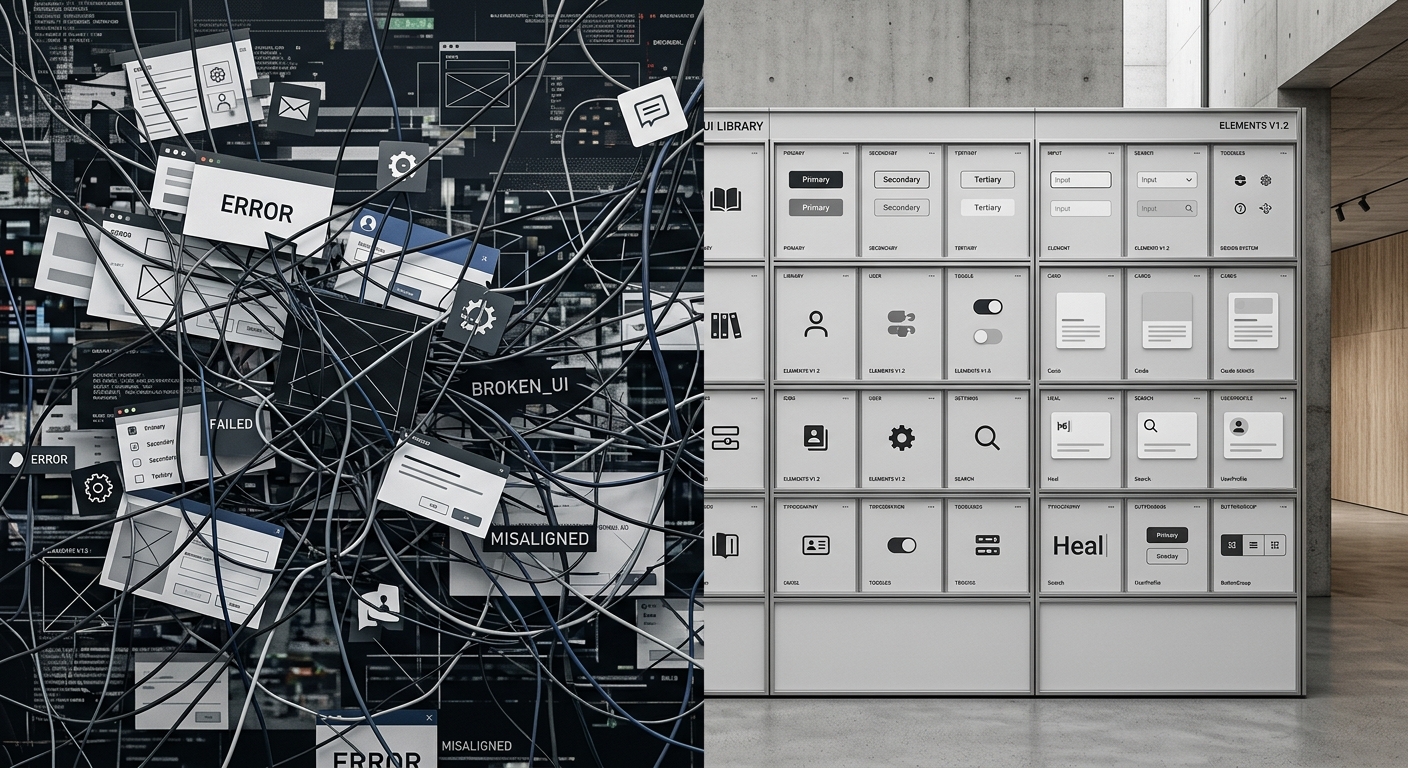
3. The Deterministic Schema Registry
This is the approach I recommend for production-grade software. You maintain a registry of validated schemas that define exactly what data a component can accept. When the AI generates a UI, it must adhere to a strict JSON schema. This allows for a "flow state" in development where the AI can be creative with the layout but is strictly forbidden from breaking the technical contract of the interface. This approach handles the seams between the AI logic and the UI rendering with high precision.

Head-to-head table
| Feature | Raw Generation | Component Mapping | Schema Registry (Recommended) |
|---|---|---|---|
| Brand Governance | Low. AI often ignores style guides. | Medium. Uses your components. | High. Enforced by strict schema. |
| Accessibility | Unpredictable. Fails WCAG 2.2 often. | Good. Depends on component code. | Excellent. Validated at runtime. |
| Latency | High. Large token output. | Medium. Structured JSON. | Low. Minimal token consumption. |
| State Management | Hard. UI is often replaced entirely. | Moderate. Requires custom hooks. | Robust. State is tied to schema IDs. |
| Maintenance | High. Constant prompt tuning. | Moderate. Standard design system. | Low. Centralized registry. |
When to pick each
Choosing a pattern depends on your tolerance for risk and the complexity of your product. If you are building a tool like Surfer SEO where the UI needs to be highly predictable to help users optimize content, you cannot afford for a button to disappear because the AI had a bad day.
Pick Raw Generation when:
- You are in the prototyping phase.
- You are building a tool specifically for developers who can fix the code themselves.
- You are using a specialized model fine-tuned for code generation.
Pick Component Mapping when:
- You have a small, stable design system.
- You want to add AI features to an existing React or Vue application without a full architectural overhaul.
- You are using a tool like Zapier to pipe data between apps and just need a simple way to display it.
Pick a Deterministic Schema Registry when:
- You operate in a regulated industry where accessibility and WCAG 2.2 compliance are legal requirements.
- You have a complex brand identity that must be maintained across all touchpoints.
- You need to manage complex user states. For example, if a user is filling out a multi-step form and the AI suggests a new section, you must preserve the data already entered in the previous fields. This requires a stable state management strategy where the UI is a function of the schema and the current session data, not just a random string of HTML.
Technical Challenges and Seams
One thing most designers ignore is the performance cost of these patterns. Streaming a full UI component from the OpenAI API takes time. In my testing, streaming a complex component can take 1200ms to 3000ms, whereas a traditional client-side render takes less than 100ms. This creates a cognitive seam for the user. They are waiting for the interface to "think."
To bridge this gap, you should use skeleton loaders that match the expected schema shape. If the registry knows a "Card" is coming, show a card-shaped skeleton immediately. This maintains the user's mental model of the space while the data fetches. For more on how to manage these types of technical tradeoffs, you might find our guide on testing AI generated code useful.
Another critical detail is how we handle WCAG 2.2 compliance in non-deterministic environments. When the DOM structure is generated at runtime, focus management becomes a nightmare. If the AI replaces a section of the page, where does the keyboard focus go? A deterministic registry allows you to pre-define "focus anchors" within your schemas. When a new component is injected, your application can move the focus to a logical starting point, preventing the user from getting lost in a digital void.
We also have to consider the unit economics. Generating a full UI via tokens is expensive. Comparing ChatGPT vs Claude for marketing copy shows how costs scale. The same applies to UI. Sending long CSS strings in every API call is a waste of money. By using a schema registry, you only send the component ID and the raw data. This reduces token consumption by up to 80 percent, making real-time UI generation financially viable at scale.
Verdict
Generative UI is not about letting the AI be the designer. It is about the AI being the librarian that picks the right tools from your shelf at the right time.
For any production application, the deterministic UI schema registry is the clear winner. It provides the necessary guardrails to ensure that your interface remains an artifact of your brand, not a hallucination of a large language model. It respects the craft of design by ensuring that every affordance is intentional and every seam is smooth.
If you are a staff engineer or a lead designer looking to implement this, start by auditing your existing design system. Identify the components that are truly dynamic and define their schemas first. For more technical depth on integrating these models, see our staff engineer's guide to AI code refactoring.
The goal is not to remove the designer from the process. The goal is to give the designer a way to build interfaces that are as responsive as a conversation, yet as reliable as a physical object.


