
When you pick up a high quality fountain pen, there is a specific resistance between the nib and the paper. It is not quite friction, but it is a feedback loop that tells you exactly where the line is going. Designers look for that same feedback in their software. We want tools that feel like an extension of our intent, not a black box that spits out a guess.
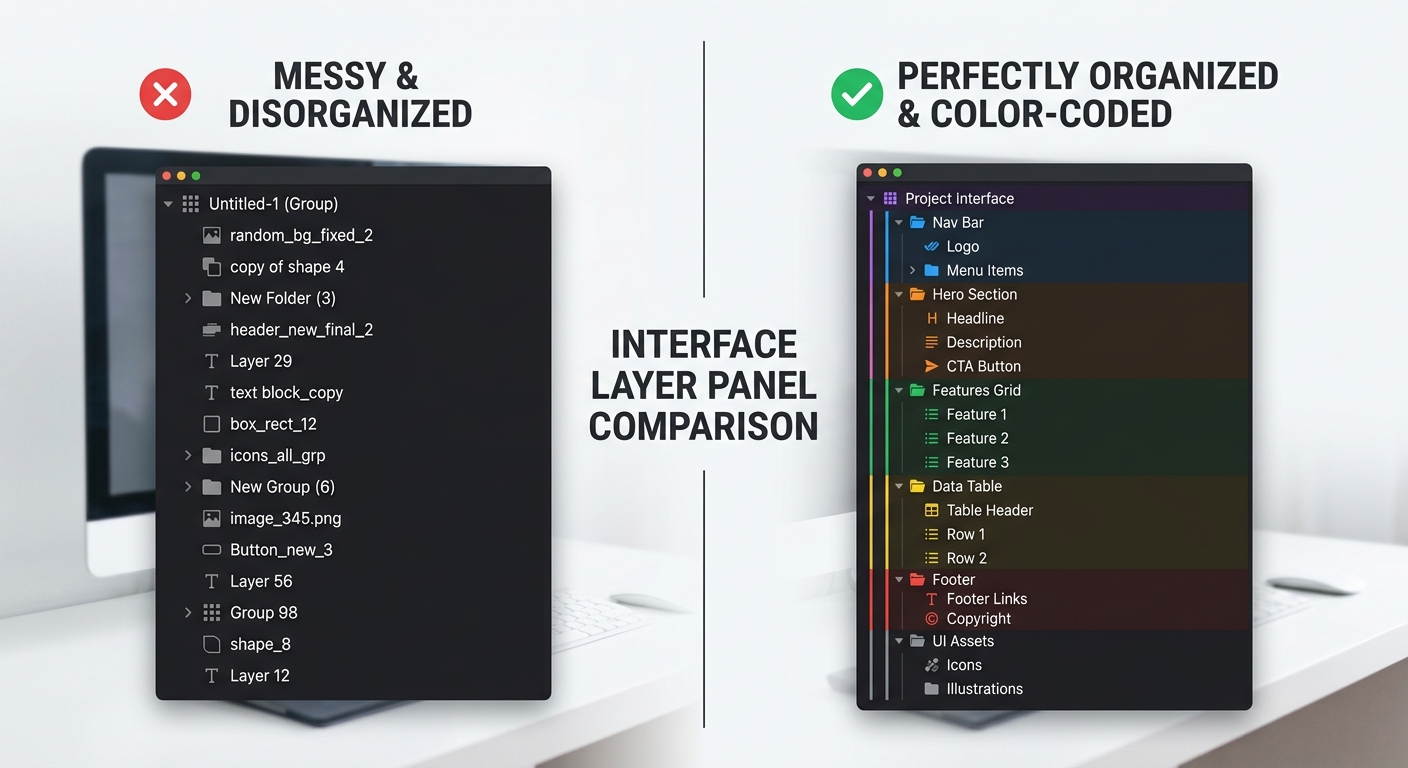
Lately, the Figma community has been flooded with AI tools promising to automate the boring parts of our jobs. But most of these plugins feel like a door handle that turns but does not actually unlatch the door. They look right, but the internal mechanics are broken. If a plugin generates a beautiful screen but leaves you with a layer panel full of 'Frame 4902' and 'Vector 12', it has not saved you time. It has just moved the labor from creation to cleanup.
I spent the last week putting the most talked about Figma AI plugins worth installing through a stress test. I used a complex prompt for a solar energy dashboard to see which ones understand the mental model of a professional designer and which ones just generate pretty, unusable artifacts.
The short answer
If you want the best balance of visual quality and layer hygiene, Musho is the current leader. It handles complex Auto Layout structures better than its peers and respects the flow state of a designer who needs a starting point, not a finished product.
However, if your goal is to move from design to production code, Builder.io (Visual Copilot) is the more functional choice. It focuses on the seam between design and development by ensuring the generated UI can actually be exported to clean React or Tailwind code.
Figma's native 'Make Design' feature, while convenient, currently lacks the sophisticated heuristic for layout that specialized plugins offer. It is a great 'quick and dirty' tool, but it often requires significant manual intervention to make the file legible for a developer.
How they differ
The fundamental difference between these tools lies in how they handle design data and privacy. Most third party plugins act as a bridge between Figma and external LLMs like GPT-4. This creates a seam where your data leaves the local environment.
Musho and Wireframe Designer rely heavily on OpenAI's servers. This means your prompts and the resulting design structures are processed externally. If you are working in a highly regulated industry, this might be a point of friction. In contrast, Figma is building its own native AI models, which may eventually offer better local data guarantees, though the current beta still processes data in the cloud.
We also see a difference in pricing models. Many plugins advertised as 'free to install' operate on a credit system. You might get 5 free generations before hitting a paywall that costs $15 to $25 per month. This can lead to AI tool fatigue and what to do about it, especially when the cost of your plugin stack starts to rival your primary software subscriptions.
Head-to-head table
I ran each of these plugins using the exact same prompt: 'A responsive dashboard for a solar energy farm showing real-time battery levels, historical output charts with tooltips, and a maintenance alert system using an 8px grid and a dark mode aesthetic.'
| Plugin | Output Quality | Layer Hygiene | Price | Privacy Focus |
|---|---|---|---|---|
| Musho | High (Visuals) | Excellent Auto Layout | $19/mo | External LLM |
| Builder.io | Medium (Functional) | Semantic Naming | Free tier / Credits | External LLM |
| Wireframe Designer | Low (Lof-fi) | Good Structure | $10/mo | External LLM |
| Figma Native | Medium | Basic | Included in Beta | Proprietary Cloud |
When to pick each
Musho: For high fidelity explorations
Musho feels like having a junior designer who is obsessed with aesthetics but sometimes forgets the design system rules. It is excellent at creating 'artifacts' that look like a finished product. It uses professional grade typography and color palettes. The real win here is the Auto Layout usage. Unlike other tools that just absolute-position elements, Musho attempts to build a responsive structure.
Builder.io: For the design-to-code workflow
Builder.io understands that a design is just a stop on the way to a functioning product. It prioritizes the legibility of the code export. If you are using a tool like Make to automate your workflow or PostHog to track user interactions, you need your designs to be structured logically from the start. Builder.io helps maintain that integrity.
Wireframe Designer: For rapid prototyping of flow states
Sometimes the visual fidelity of Musho is a distraction. If you are in the early stages of a project, you just need to map out the mental model of the user. Wireframe Designer produces low-fidelity blueprints. This prevents stakeholders from getting hung up on the color of a button when they should be looking at the information architecture. It is a great companion to Gemini when you are turning a long research document into a first draft of a UI.

Verdict
After testing these tools, it is clear that the 'best' plugin depends on where you are in your process.
- For the 'Blank Canvas' phase: Use Musho. It provides a high quality starting point that feels like a real design, not a wireframe. It reduces the friction of starting a new project.
- For Developer Handoff: Use Builder.io. It is the only tool that truly respects the seam between the design file and the codebase.
- For Content Strategy: Use Gemini or ChatGPT to generate your copy first, then feed that specific data into your Figma plugins. This ensures the UI is built around real constraints, not 'Lorem Ipsum'. You can read more about this in our Claude vs ChatGPT for long form writing design teardown.
One thing to watch out for is reliability. During my tests, I noticed that auto-naming plugins occasionally break existing component instances if they are not configured correctly. Always run these tools on a duplicate frame rather than your master design system file.
AI is not going to replace the craft of design, but it is changing the affordances of our tools. We are moving away from manual pixel pushing toward a role that looks more like creative direction. The plugins worth installing are the ones that let you focus on the small things that matter while they handle the repetitive structures of the grid.
For more on how to manage the technical aspects of AI in your process, check out our AI pair programming workflow guide which covers managing context and technical debt in a similar way to how we manage design debt in Figma.


